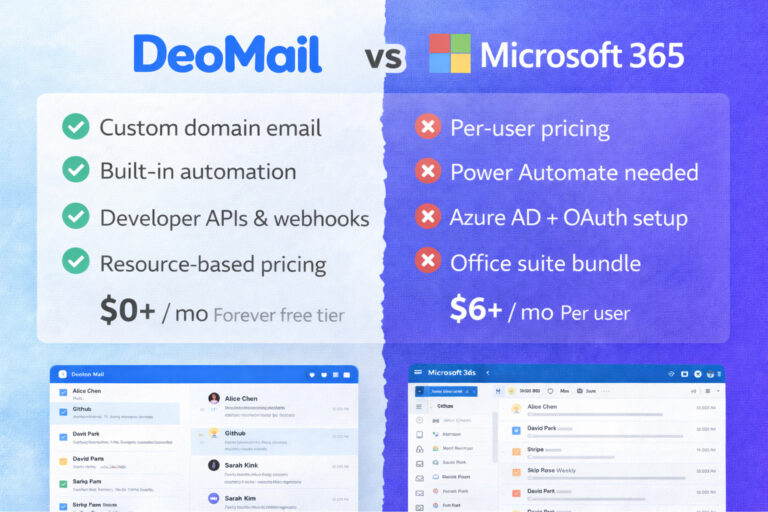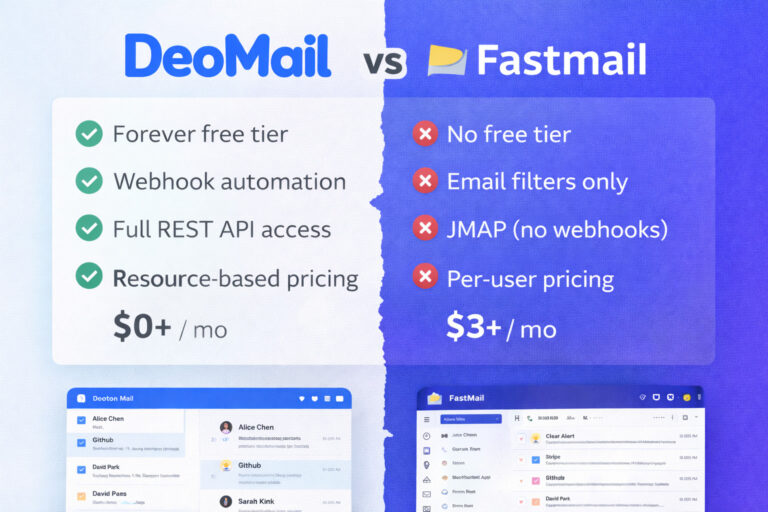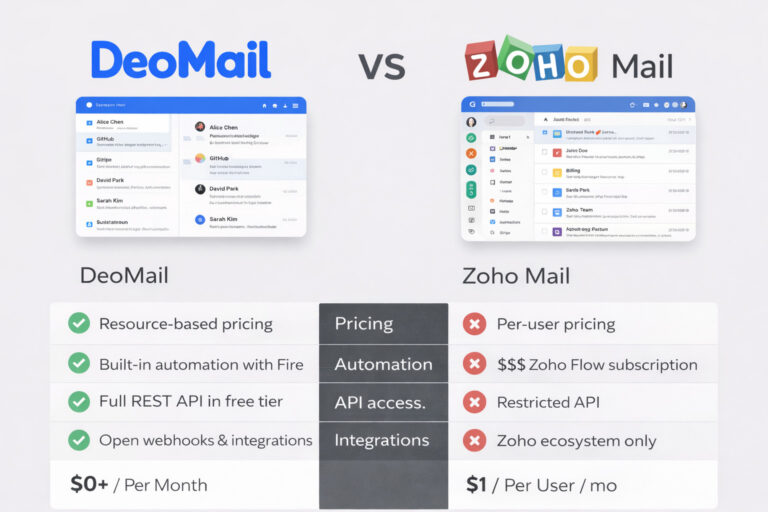

For privacy-focused users, Proton AG Mail has become one of the most recognized email services. Built around end-to-end encryption and privacy-first communication, Proton Mail is widely used for secure personal email.
However, many startups, developers, and businesses today are searching for a Proton Mail alternative — especially when they need custom-domain email hosting, developer APIs, and automation workflows.
This is where DeoMail provides a different approach.
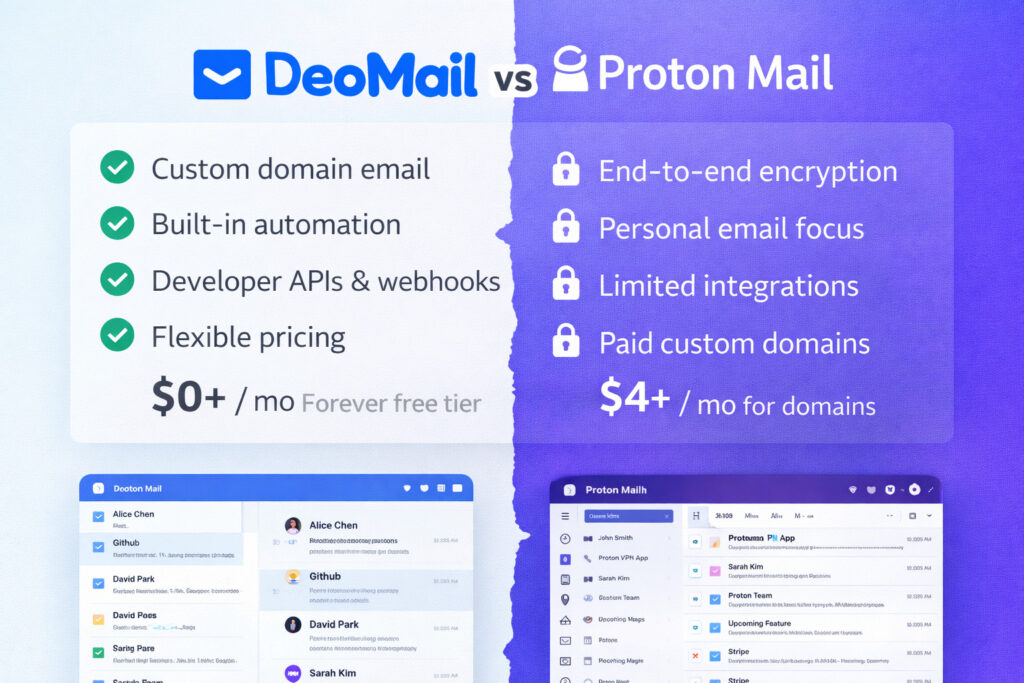
DeoMail focuses on programmable email infrastructure, offering custom-domain email, webhook automation, and developer APIs while maintaining secure transport and encrypted storage.
In this guide we’ll explore:
- Why teams look for Proton Mail alternatives
- What makes DeoMail different
- DeoMail pricing compared to Proton Mail
- Automation and developer features
- When DeoMail is the better choice
For a full technical breakdown, you can also see the comparison page:
👉 https://deomail.com/compare/proton-mail
What Is DeoMail? 🚀
DeoMail is a modern platform designed to run professional email infrastructure on your own domain.
Instead of focusing primarily on encrypted personal communication, DeoMail is designed for automation, integrations, and developer workflows.
Core capabilities include:
- custom-domain email hosting
- email automation with DeoMail Fire
- revocable email with DeoMail Fade
- conversation sharing with DeoMail Forward+
- cryptographic email verification with DeoMail Fingerprint
- full REST API for developers
- webhook integrations
- flexible resource-based pricing
With DeoMail you can create professional addresses like:
support@yourdomain.com
sales@yourdomain.com
hello@yourcompany.com
This makes DeoMail particularly useful for startups, SaaS products, and teams managing customer communication.
👉 Learn more: https://deomail.com
DeoMail vs Proton Mail — Quick Overview
While both platforms provide secure email, they are designed for very different use cases.
| Category | DeoMail | Proton Mail |
|---|---|---|
| Primary focus | Email infrastructure & automation | End-to-end encrypted email |
| Pricing | Free forever | $4+/user/month |
| Automation | Fire webhook triggers | Not available |
| Revocable email | Built-in (Fade) | No |
| Conversation sharing | Built-in (Forward+) | No |
| Email integrity verification | Built-in (Fingerprint) | No |
| API access | Full REST API | Limited |
| Custom domain email | Free tier | Paid plans |
| Full-text search | Instant | Limited (due to encryption) |
For the full comparison:
👉 https://deomail.com/compare/proton-mail
The Biggest Difference: Encryption vs Automation 🔐⚡
The biggest difference between DeoMail and Proton Mail is their core design philosophy.
Proton Mail: Privacy-First Communication
Proton Mail prioritizes end-to-end encryption (E2EE) and user privacy.
This means:
- email content is encrypted on the client side
- servers cannot read message contents
- Swiss jurisdiction protects user privacy
However, this architecture also limits certain features, including:
- full-text search
- automation triggers
- developer APIs
- advanced integrations
DeoMail: Programmable Email Infrastructure
DeoMail prioritizes automation, developer tools, and integrations.
Instead of focusing on encrypted personal communication, DeoMail is designed to make email programmable and automatable.
This enables features such as:
- webhook automation triggers
- developer APIs for email workflows
- integrations with Slack, Zapier, and APIs
- scalable custom-domain email infrastructure
DeoMail Pricing vs Proton Mail 💰
Another major difference between the two platforms is pricing.
Proton Mail Pricing
Proton Mail typically requires a paid plan for custom domains.
| Feature | Proton Mail |
|---|---|
| Free plan | 1 address |
| Custom domain | Paid plan required |
| Mail Plus | $4 per user / month |
| Business plans | $8+ per user / month |
This means costs scale per user.
DeoMail Pricing
DeoMail uses resource-based pricing instead of per-user pricing.
This means you only pay for the infrastructure you use.
| Resource | Price |
|---|---|
| Storage | $0.50 per GB / month |
| Additional domain | $0.50 per domain / month |
| Extra mailbox | $1.00 per inbox / month |
| Fire automation | $2.00 per 100 executions |
| Team members | $1.00 per member / month |
| Extra organization | $1.90 per organization / month |
DeoMail also provides a free tier including:
| Feature | Included |
|---|---|
| Organization | 1 |
| Custom domain email | Yes |
| Inbox | 1 |
| Storage | 500 MB |
| Emails per day | 100 |
| Fire automations | 50/day |
| Fade | Included |
| Forward+ | Included |
| Fingerprint | Included |
| API access | Included |
👉 Pricing: https://deomail.com/pricing
Built-In Email Automation with DeoMail Fire 🔥
One of the most powerful features of DeoMail is Fire, the built-in automation engine.
Learn more:
Fire allows incoming emails to trigger automated workflows.
Examples include:
| Trigger | Action |
|---|---|
| Email from sales@* | Send Slack notification |
| Order confirmation email | Trigger webhook |
| Support email received | Create helpdesk ticket |
| Customer inquiry | Send CRM update |
This transforms email into a workflow automation engine.
Proton Mail does not provide webhook automation or similar developer tools.
Revocable Email with DeoMail Fade 🌅
Traditional email is permanent. Once a message is sent, neither Proton Mail nor any traditional provider gives you control over it after delivery.
DeoMail Fade changes that.
Learn more:
Instead of sending email content directly, Fade sends a secure link to the recipient. The actual content remains stored on DeoMail, and you control access at any time.
This allows you to:
- revoke access to a sent email instantly
- set automatic expiration after 1 hour, 24 hours, 7 days, or 30 days
- protect messages with a password
- limit how many times a message can be opened
Proton Mail has no equivalent feature. Fade is available to all DeoMail users at no extra cost.
Email Conversation Sharing with Forward+ ↗️
Sharing email threads with clients or teammates using traditional forwarding creates confusing chains of nested replies, duplicated attachments, and broken formatting.
DeoMail Forward+ solves this.
Learn more:
👉 https://deomail.com/forward-plus
Instead of forwarding emails, Forward+ generates a secure link that displays the full conversation in a clean, readable format. Recipients can view the conversation without needing a DeoMail account.
Features include:
- unique secure link per conversation
- optional expiration
- password protection
- one-click link revocation
Proton Mail has no equivalent feature. Forward+ is available to all DeoMail users at no extra cost.
Email Integrity Verification with Fingerprint 🔍
Fake invoices, altered contracts, and impersonated senders cost businesses billions every year.
DeoMail Fingerprint provides cryptographic proof that an email has not been modified since it was sent.
Learn more:
👉 https://deomail.com/fingerprint
Every email sent with Fingerprint enabled receives a unique SHA-256 hash and a verifiable QR code embedded in the footer automatically. Fingerprint is enabled by default on every email you send.
Fingerprint also works on printed documents, making it ideal for contracts, invoices, and official communications.
Proton Mail has no equivalent feature. Fingerprint is available to all DeoMail users at no extra cost.
Developer APIs for Email Workflows 👨💻
DeoMail also provides a developer-friendly REST API.
Developers can:
- send transactional emails
- read inbox messages
- automate workflows
- integrate email into applications
Example API request:
POST https://api.deomail.com/v1/send
{
  "from": "hello@yourdomain.com",
  "to": ["user@example.com"],
  "subject": "Welcome!",
  "html": "<h1>Hello World</h1>"
}
👉 API docs: https://deomail.com/api
This makes DeoMail ideal for SaaS products and automation systems.
When DeoMail Is the Better Choice ⚡
DeoMail is best suited for teams that need automation, integrations, and developer features.
Choose DeoMail if you:
✔ want custom-domain email on a free tier
✔ need webhook automation for email events
✔ want to revoke or expire sent emails
✔ need to share email conversations cleanly with clients
✔ want cryptographic proof that emails haven’t been altered
✔ want developer APIs for email workflows
✔ need integrations with Slack, Zapier, or APIs
✔ prefer resource-based pricing instead of per-user pricing
Many startups adopt DeoMail because it treats email as programmable infrastructure rather than just a mailbox.
When Proton Mail Is the Better Choice 🔐
Proton Mail may be the better choice if:
✔ end-to-end encryption is your top priority
✔ you want Swiss jurisdiction for privacy protection
✔ you need encrypted personal communication
✔ you prefer open-source email clients
Both platforms serve different use cases depending on how email is used.
Getting Started With DeoMail
Setting up DeoMail takes only a few minutes.
Typical steps include:
1️⃣ Add your domain
2️⃣ Configure DNS records (MX, SPF, DKIM)
3️⃣ Create your mailbox
4️⃣ Start sending email
Setup usually takes about two minutes.
👉 Start here: https://deomail.com
Final Thoughts
Proton Mail remains one of the best platforms for privacy-focused encrypted communication.
However, many businesses and developers today need something different: flexible email infrastructure with automation and integrations.
DeoMail offers a modern alternative by focusing on:
- custom-domain email hosting
- built-in automation with DeoMail Fire
- revocable email with DeoMail Fade
- clean conversation sharing with DeoMail Forward+
- cryptographic email verification with DeoMail Fingerprint
- developer APIs
- open integrations
- scalable resource-based pricing
If you’re searching for a Proton Mail alternative, DeoMail provides a powerful solution for teams that want programmable email workflows and integrations.
👉 Start here: https://deomail.com
👉 Full comparison: https://deomail.com/compare/proton-mail