

Email remains one of the most important communication systems for businesses, developers, and teams. However, traditional email providers often bundle email with complex productivity suites or charge expensive per-user pricing.
DeoMail takes a different approach.
It provides modern email infrastructure designed for custom domains, automation, developer APIs, and privacy-first communication.
In this guide we’ll explore:
- all core DeoMail features
- automation with Fire
- revocation email with Fade
- email sharing with Forward+
- email verification with Fingerprint
- developer APIs
- collaboration tools
- security and privacy protections
You can explore the full official feature list here:
👉 https://deomail.com/features
Professional Custom Domain Email
One of the core capabilities of DeoMail is custom domain email hosting.
Instead of using generic addresses like:
yourname@gmail.com
you can use professional addresses such as:
hello@yourcompany.com
support@yourcompany.com
sales@yourcompany.com
Key capabilities include:
| Feature | Description |
|---|---|
| Custom domain email | Use your own domain |
| Multiple domains | Manage several domains in one account |
| Unlimited addresses | Create multiple addresses per domain |
| DNS setup wizard | Guided SPF, DKIM, and DMARC setup |
This allows businesses to maintain professional communication and reliable email delivery.
Modern Web Inbox Experience
DeoMail provides a clean and fast web inbox designed for productivity.
Unlike cluttered traditional interfaces, the platform focuses on simplicity and speed.
Inbox features include:
- threaded conversations
- full-text search across mailboxes
- drag-and-drop attachments
- rich text email composer
- mobile and desktop browser support
This modern interface ensures users can manage email efficiently from any device.
Security and Privacy 🔐
Security is a major priority in the DeoMail platform.
Every email sent or received is protected with multiple layers of security.
Core security features include:
| Security Feature | Purpose |
|---|---|
| SPF / DKIM / DMARC | Prevent spoofing and phishing |
| TLS encryption | Secure email transmission |
| Secure storage | Encrypted email storage |
| Spam protection | Intelligent spam filtering |
| Activity monitoring | Detect suspicious behavior |
DeoMail also follows strict privacy principles.
According to the DeoMail Privacy Policy:
- user data is never sold
- emails are never scanned for advertising
- email content is encrypted in transit and at rest
- users can export or delete their data anytime
This privacy-first architecture ensures that email remains a private communication channel.
Domain & Address Management
DeoMail includes advanced domain and address management features that allow organizations to scale their email infrastructure easily.
Capabilities include:
| Feature | Description |
|---|---|
| Multi-domain support | Manage several domains |
| Unlimited aliases | Create alternative email addresses |
| Hide My Email | Mask your real email |
| Auto DKIM setup | Automatically generate DKIM keys |
| DNS configuration wizard | Simplified domain verification |
These tools make it easy to deploy professional email infrastructure in minutes.
Team Collaboration Features
DeoMail is designed for both individuals and teams.
Organizations can manage multiple users with role-based access.
Team collaboration tools include:
| Feature | Description |
|---|---|
| Organizations | Manage teams and domains |
| Role-based permissions | Control user access |
| Shared inbox | Multiple users manage one mailbox |
| Activity logs | Track team actions |
| Address-level access | Control who can access each mailbox |
This makes DeoMail suitable for business communication and team workflows.
Managing Multiple Organizations
DeoMail allows users to create and manage multiple organizations within a single account.
An organization acts as a separate workspace that contains its own domains, mailboxes, and team members.
This is ideal for users who need to manage different contexts separately, such as:
- a personal project
- a freelance business
- a company or startup
Each organization operates independently, allowing clean separation between different email environments.
Additional organizations can be added at $1.90 per organization per month.
Automation With DeoMail Fire 🔥
One of the most powerful features of DeoMail is Fire automation.
Fire allows you to create workflows that trigger actions when emails arrive.
Learn more:
Example workflow:
Email received from sales@*
      ↓
Trigger Fire automation
      ↓
Send webhook to CRM
      ↓
Notify Slack channel
Fire automation supports:
- webhook triggers
- conditional rules (sender, subject, content)
- dynamic variables
- execution logs and debugging
It integrates with tools like:
- Slack
- Discord
- Telegram
- Zapier
- n8n
- Make
This allows businesses to turn email into an automation engine.
Revocation Email With DeoMail Fade
DeoMail Fade gives you full control over your emails even after they have been sent.
Traditional email is permanent. Once you hit send, the message is out of your control forever.
Fade changes that.
Learn more:
Instead of sending email content directly, Fade sends a secure link to the recipient. The actual content remains stored on DeoMail, and you control access at any time.
Fade features include:
| Feature | Description |
|---|---|
| Revocable messages | Revoke access instantly, even after sending |
| Expiration control | Set emails to expire after 1 hour, 24 hours, 7 days, or 30 days |
| Password protection | Add a password to protect sensitive messages |
| View limits | Restrict how many times a message can be opened |
Use cases include:
- sharing confidential information that disappears after reading
- sending temporary credentials or codes that auto-expire
- protecting sensitive documents from being permanently saved by recipients
- sending audit-ready messages for legal and compliance purposes
Fade is available to all DeoMail users at no extra cost.
Sharing Email Conversations With Forward+
DeoMail Forward+ replaces messy email forwarding chains with clean, shareable conversation links.
Traditional email forwarding creates confusing chains of nested replies, duplicated attachments, and broken formatting that recipients struggle to follow.
Forward+ solves this.
Learn more:
👉 https://deomail.com/forward-plus
Instead of forwarding emails, Forward+ generates a secure link that displays the full conversation in a clean, readable format. Recipients can view the conversation without needing a DeoMail account.
Forward+ features include:
| Feature | Description |
|---|---|
| Secure share links | Unique link generated for each shared conversation |
| Optional expiration | Links can automatically expire after a chosen time |
| Password protection | Protect sensitive conversations with a password |
| Link revocation | Disable a shared link at any time with one click |
| No login required | Anyone with the link can view the conversation |
Use cases include:
- sharing email threads with clients without forwarding noisy chains
- giving teammates context with a clean conversation view
- sharing conversation history for documentation without cluttering inboxes
Forward+ is available to all DeoMail users at no extra cost.
Email Integrity Verification With Fingerprint
DeoMail Fingerprint provides cryptographic proof that an email has not been modified since it was sent.
Fake invoices, altered contracts, and impersonated senders cost businesses billions every year. Recipients have no easy way to verify if what they received is genuine.
Fingerprint solves this.
Learn more:
👉 https://deomail.com/fingerprint
Every email sent with Fingerprint enabled receives a unique SHA-256 hash and a verifiable QR code embedded in the email footer automatically.
Fingerprint is enabled by default on every email you send.
Fingerprint features include:
| Feature | Description |
|---|---|
| Tamper detection | Detect if an email or document was modified after sending |
| QR verification | Verify authenticity by scanning with any smartphone |
| Timestamp proof | Immutable proof of when the email was originally sent |
| Sender authentication | Confirm the verified sender identity behind every email |
Fingerprint also works on printed documents.
Contracts, invoices, and official documents remain verifiable even after printing. Recipients can scan the QR code with any smartphone camera — no additional tools required.
Only cryptographic hashes are stored — never readable email content. No AI, no analysis. DeoMail never reads your email.
Fingerprint is available to all DeoMail users at no extra cost.
Developer API
For developers, DeoMail offers a powerful REST API for managing email programmatically.
API documentation:
Developers can:
- send emails via API
- retrieve messages
- manage inboxes
- automate workflows
Example API request:
POST https://api.deomail.com/v1/send
{
  "from": "hello@yourdomain.com",
  "to": ["user@example.com"],
  "subject": "Welcome!",
  "html": "<h1>Hello World</h1>"
}
Developer features include:
| Feature | Description |
|---|---|
| API keys | Secure authentication |
| Rate limiting | Prevent abuse |
| REST endpoints | Simple integration |
| Multi-language examples | curl, JS, Python |
This makes DeoMail ideal for SaaS platforms and developer workflows.
Real-Time Email Monitoring
DeoMail also includes a monitoring dashboard that provides full visibility into email activity.
Monitoring features include:
| Feature | Description |
|---|---|
| Delivery logs | Track sent and received emails |
| Bounce tracking | Identify delivery failures |
| Activity timeline | View chronological events |
| Live monitoring | Real-time email updates |
This helps organizations diagnose email issues quickly and maintain reliable communication.
Flexible Pricing Model
Unlike many providers that charge per user, DeoMail uses resource-based pricing.
This allows businesses to scale without paying per seat.
Example pricing structure:
| Resource | Price |
|---|---|
| Storage | $0.50 per GB |
| Additional domains | $0.50 |
| Extra mailboxes | $1 |
| Fire automation | $2 per 100 executions |
| Team members | $1 per member |
| Additional organizations | $1.90 per organization |
The platform also includes a free tier.
Free tier includes:
- 1 domain
- 1 mailbox
- 500 MB storage
- API access
- 50 Fire automations per day
- Fade
- Forward+
- Fingerprint
- 1 organization
Full pricing details:
Integrations With Popular Tools
DeoMail integrates with many modern tools and platforms.
Supported integrations include:
| Tool | Integration Method |
|---|---|
| Google Calendar | Native |
| Google Contacts | Native |
| Zapier | Webhooks |
| Make (Integromat) | Webhooks |
| Any REST API | Full compatibility |
These integrations allow DeoMail to fit into existing workflows easily.
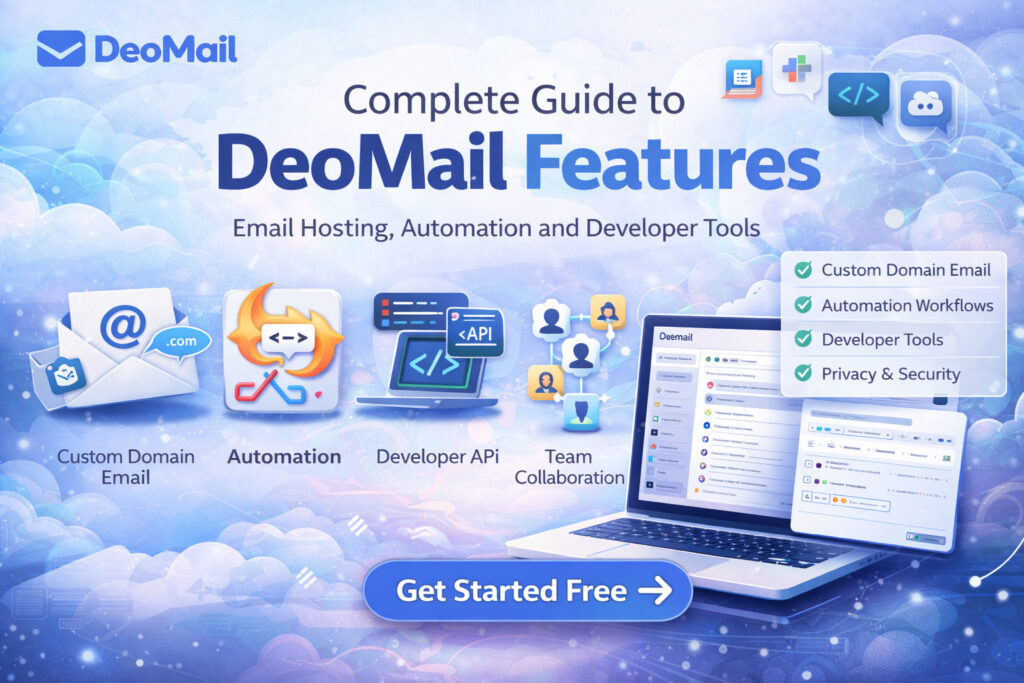
Why Businesses Choose DeoMail
Organizations choose DeoMail because it combines modern infrastructure with simplicity and privacy.
Key advantages include:
- custom domain email hosting
- automation workflows
- revocation email
- clean email sharing
- cryptographic email verification
- developer APIs
- privacy-first architecture
- flexible pricing
This makes DeoMail suitable for:
- startups
- developers
- businesses
- teams
- individuals
Final Thoughts
Email is evolving beyond simple messaging.
Modern platforms like DeoMail combine email hosting, automation, developer tools, and privacy protections into one platform.
With features such as:
- custom domain email
- Fire automation
- revocation email with Fade
- conversation sharing with Forward+
- cryptographic verification with Fingerprint
- developer APIs
- real-time monitoring
- privacy-first architecture
DeoMail represents a new generation of email infrastructure designed for modern communication.